


 Tap and Ride with Contactless Payments
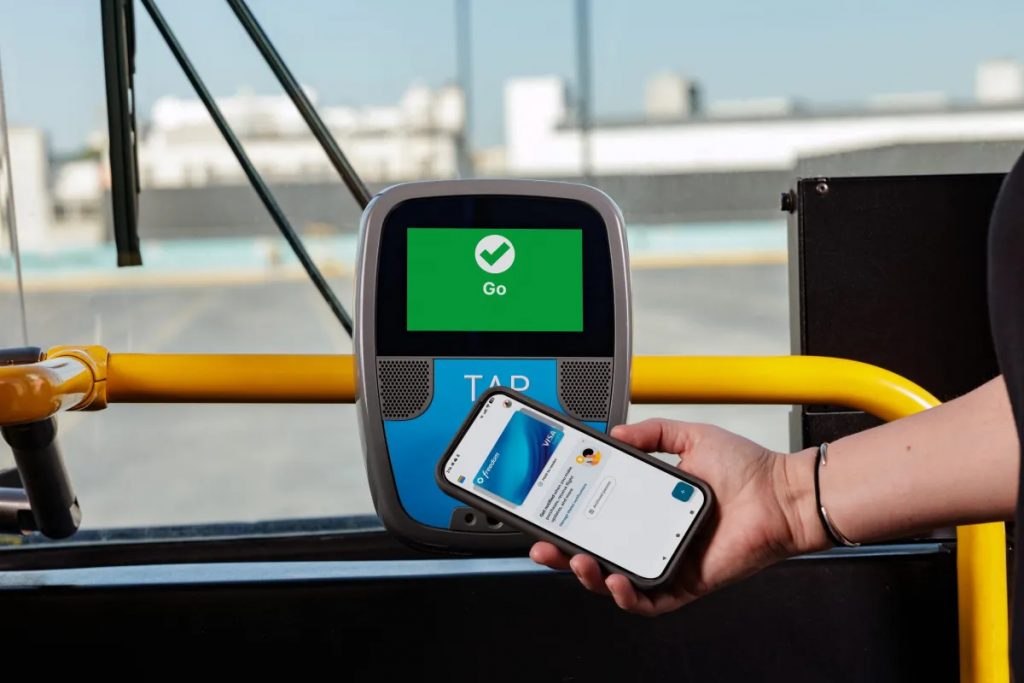
Santa Clarita Transit riders can now pay their fare with a contactless credit card, debit card or mobile wallet. Just tap your card, phone or smart watch on the farebox when boarding and you’re ready to ride. Contactless payments are accepted on all Santa Clarita Transit services.
What You Can Use
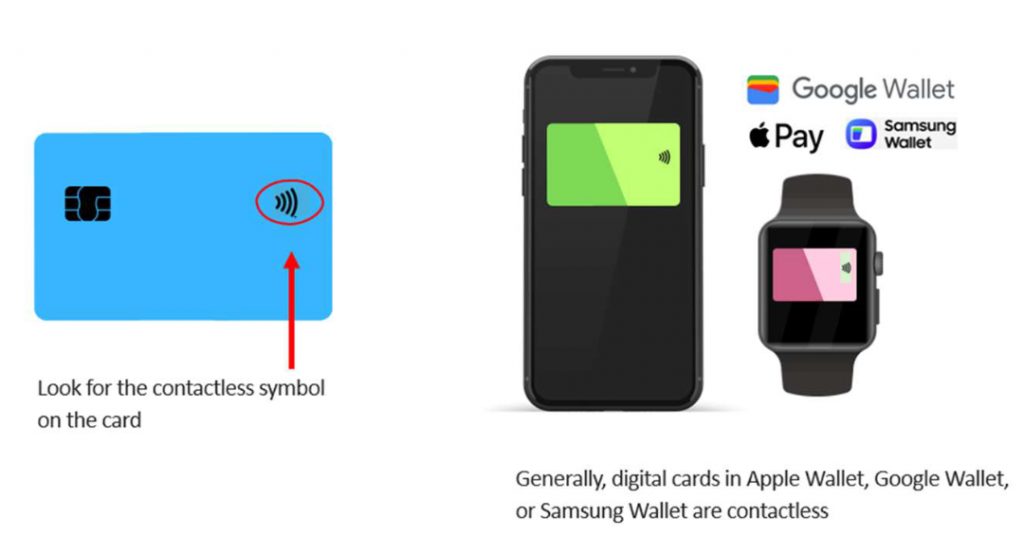
- Contactless credit or debit cards
• Apple Wallet
• Google Wallet
• Samsung Wallet
• Smart watches and supported digital wallets. Look for the contactless symbol on your card, or use a supported digital wallet on your phone or smart watch.
Why Use Contactless Payments?
Contactless payments make riding easier by removing the need to carry exact cash or preload funds onto a physical or digital TAP card. Riders can simply tap their payment method at the farebox and go.
TAP Benefits Still Apply
Contactless payments are powered by TAP, which means riders can still receive many of the same benefits available with TAP, including:
• Discounted fares – The fare amount is the same as if you were using a TAP Card or Token Transit.
• Transfers between participating transit agencies
• Fare capping
Important: Use the Same Card and Same Format
To receive fare capping benefits, riders must use the same payment method each time. A physical card and the same card in a digital wallet are treated as separate accounts in the TAP system. For example, tapping your physical credit card in the morning and the same card through Apple Wallet later will not count toward the same fare cap.
Fare Capping
Fare capping automatically limits how much riders pay by providing free rides after reaching daily or weekly fare thresholds. Riders must use the same payment method for each trip to receive fare capping benefits. Learn more at SantaClaritaTransit.com/Fare-Capping.
Multi-Tap Group Payment
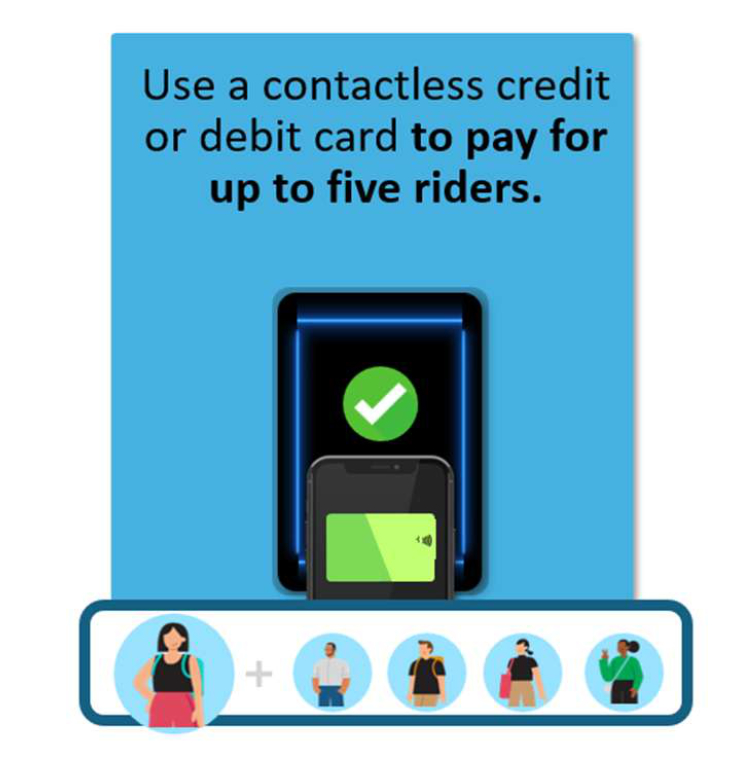
Traveling with family or friends? One rider can use a single contactless card or device to pay for up to five passengers.
• Tap once for each rider
• Up to five riders can be paid for with one card or device
• All taps must happen within two minutes
• Only the first tap counts toward fare capping
Credit and Debit Card FAQ:
Q: How do I tap and pay with a credit or debit card?
A: You can tap and pay with most contactless credit or debit cards. This includes virtual cards in your digital wallet on your smartphone or smartwatch.
- It’s easy – all you need to do is tap your credit or debit card at a TAP validator, just like you would a TAP card. The correct fare will be calculated and charged to your account.
- The validators will accept physical credit or debit cards, digital credit or debit cards in a phone wallet, or digital credit or debit cards in a smartwatch wallet.
- To use a digital card in your phone or smartwatch wallet, please unlock the device, open the wallet , and choose the card you’d like to be charged. Hover the phone or watch over the validator.
- Wait for the green screen to appear or the “beep” and “GO” message to board with valid fare
Q: Do I have to unlock my phone to tap and pay with my digital wallet?
A: Yes. However, in both Google Wallet and Apple Wallet, you can designate a specific card for fare payment and, from then on, not have to unlock your phone to pay. Learn how to do this on an iPhone or Android phone.
Q: Can I use an international credit card to pay the fare?
A: Yes, the TAP validators accept credit cards issued by Visa, Mastercard, American Express, Discover, UnionPay, and JCB. Digital versions of these cards in Apple Wallet, Google Wallet, and Samsung Wallet are also accepted. International visitors, please remember to contact your bank/card issuer to let them know you will be traveling, so you don’t have issues paying fares with your card.
Q: Will I pay a card transaction fee if I tap and pay with my bank card?
A: No, you will not be charged an additional transaction fee. Your credit card will be charged the same fare as if you paid with cash or a TAP card.
Q: Which credit or debit cards are accepted for fare payment?
A: The TAP validators will accept the following cards for fare payment: Visa, Mastercard, American Express, Discover, UnionPay and JCB .
Q: How can I view my ride history?
A: You can easily and quickly view your ride history by visiting the Transit Card Status page: https://www.taptogo.net/TransitCardStatus
- Enter your credit or debit card details into the form and the page will show all the rides associated with that credit or debit card account, by payment form. The page will also display fare capping status.
- If you have a TAP account, you can view your ride history by signing in to your account and clicking “Transit Cards.” Follow the prompts to register your credit or debit card. NOTE: Before your card can be registered to your account, the card must have been used to tap and pay at least once. After your card is registered, it will display on the Transit Cards page along with links to view your ride history and fare capping status.
Q: I have a Reduced Fare TAP card. Can I use my credit or debit card to pay the fare and still pay my Reduced Fare?
A: Currently, only full fares can be paid with a credit or debit card. If you use your credit or debit card, you will be charged a full fare. However, starting in early 2027, you will be able to use your credit/debit card to pay your reduced fare.
Q: I have credit cards and a TAP card on my phone. Will the validator charge both my TAP card and my credit card?
A: No, the validator will not charge both cards. The system will try to deduct fare from a digital TAP card first. If no TAP card is found, please unlock your phone, open the wallet and choose the card that should be charged.
Need More TAP and Contactless Payment Information?
For more information about TAP contactless payments, visit TapToGo.net/Contactless-Payment.
For more FAQs on Google Wallet, Apple Pay, TAP Cards, managing fares on your TAP card, TAP card features, and more, visit https://www.taptogo.net/TAPFAQ.